Figures SAP computed
Totals and counts are computed by SAP itself, never added up by the AI.
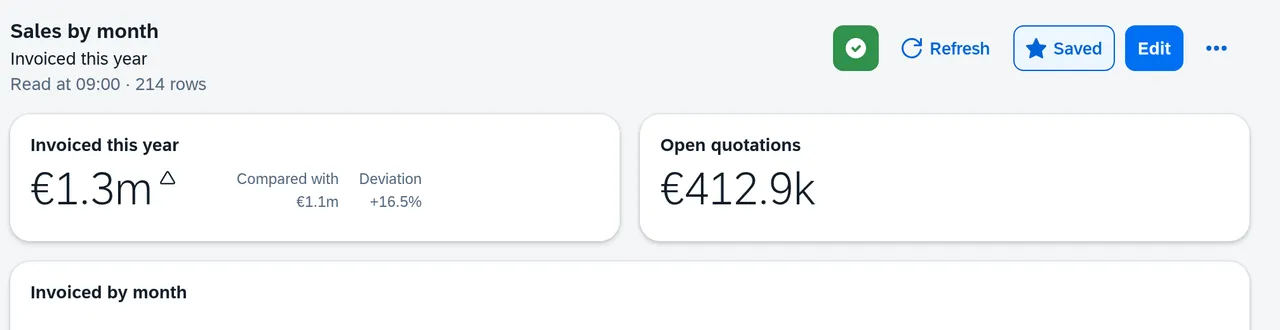
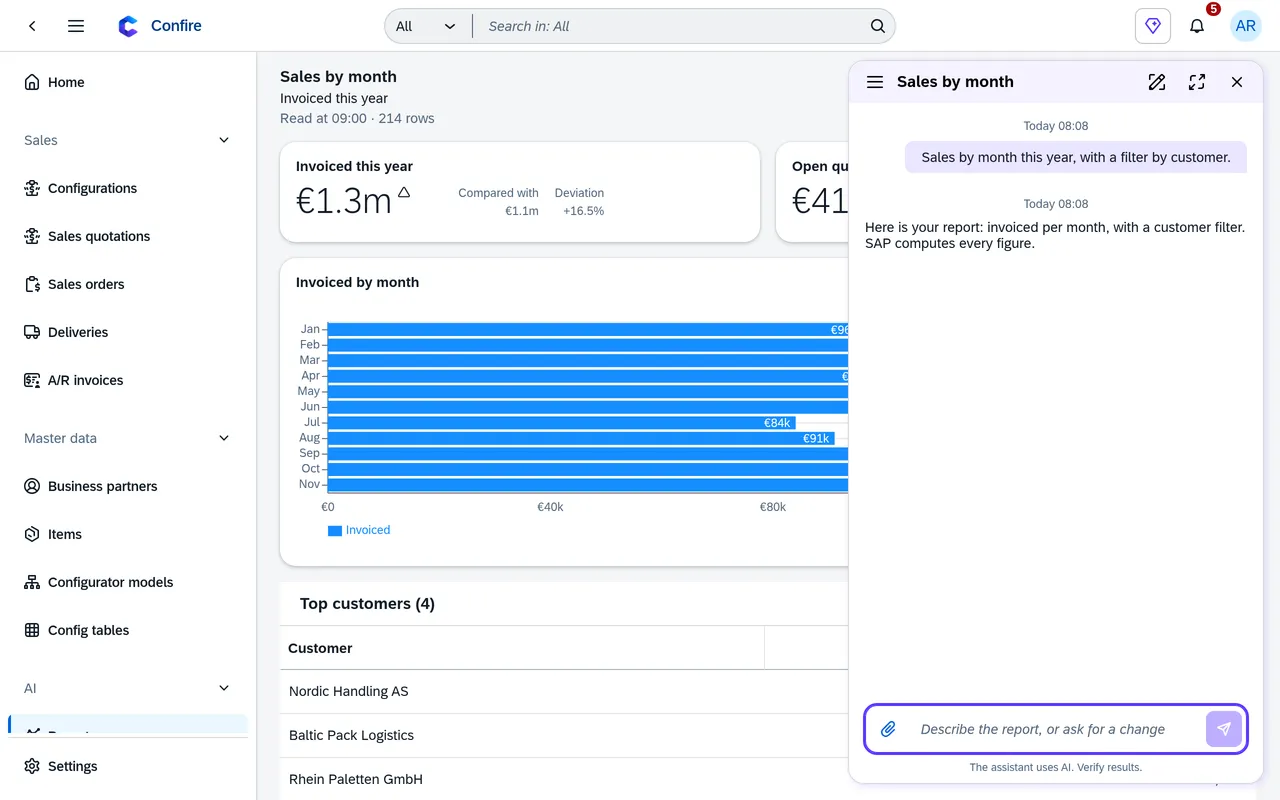
Ask Confire's assistant for the report you need. SAP computes every figure; you get a saved report with a filter bar and a tile on your home page. No Crystal Reports, no SQL.
Book a demo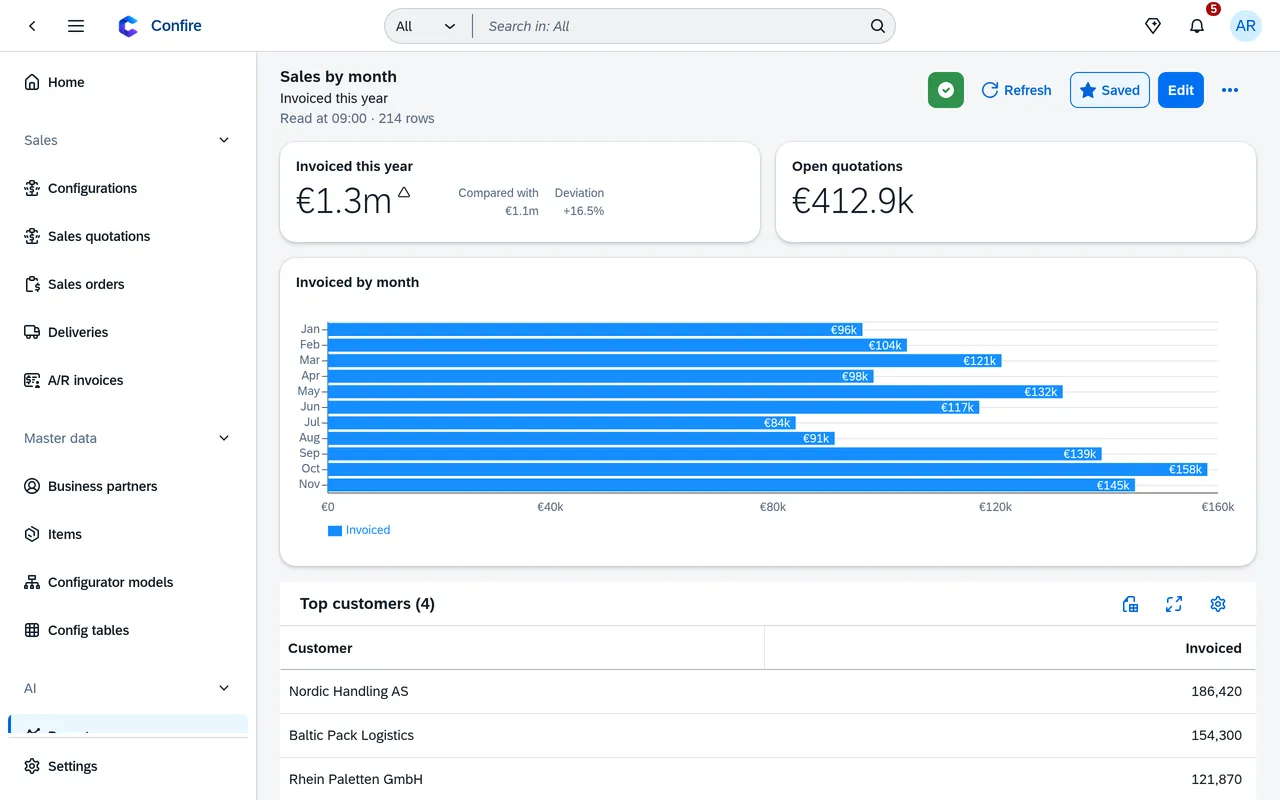
Totals and counts are computed by SAP itself, never added up by the AI.
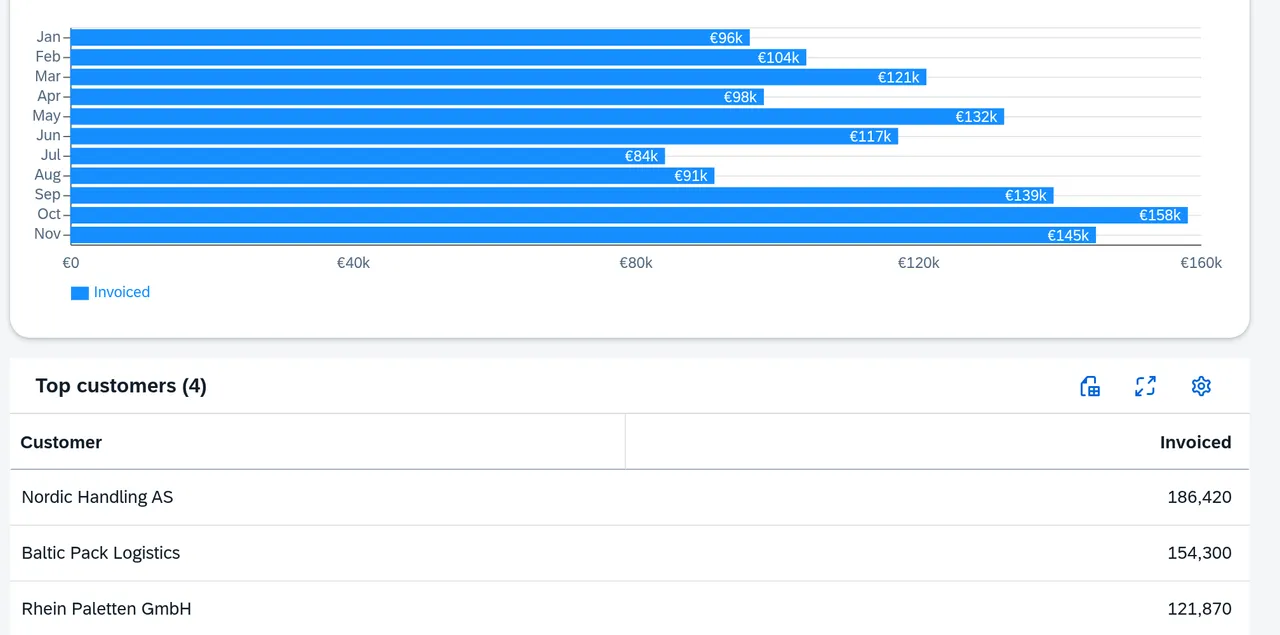
A report is saved with its charts and tables; open it next month and it runs again on that day's SAP data.
Open the report's chat and say what to change; the page redraws with the new figures.
No. You ask in words; Confire's assistant writes the report and SAP computes it.
No. Every figure is computed by SAP; the AI only describes what to compute.
Yes. Save it to home and its first figure becomes a tile.
| Description | Duration | Price |
|---|---|---|
| Live demo on your product | 30 min | EUR 0.00 |